~1,200
app switches a day, costing just under four hours a week1
Jumping between apps
Decisions happen in one tool and the work lives in another. Every switch drops a little context.
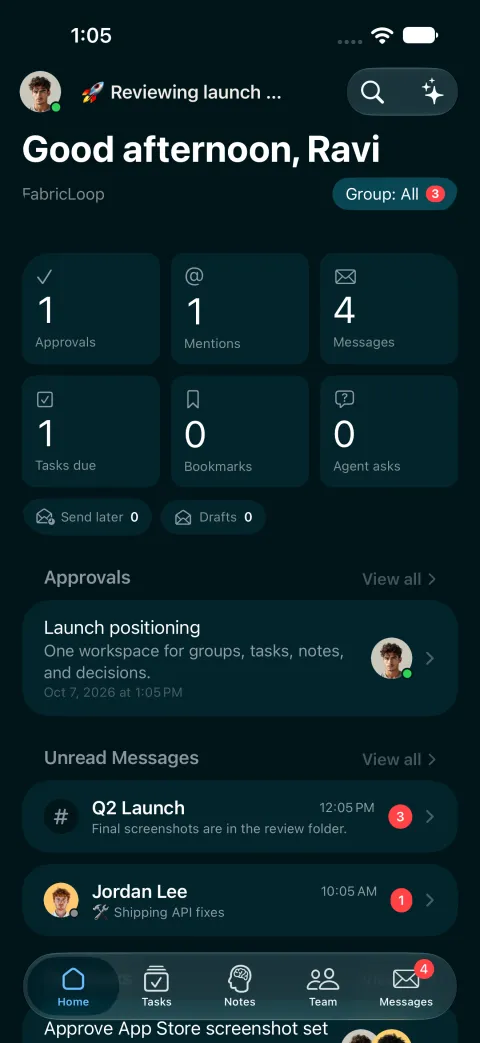
Chat, tasks, notes and calls in one place, with AI agents working beside you. A message becomes a task with the conversation attached, so nothing gets retyped.


Your team decides in one app, tracks the work in another and writes it up in a third. The reason behind the decision stays behind.
 Slackthe decision
 Asanathe task
 Notionthe write-up
 Google Drivethe file
 Jirathe ticket
 Meeting notes appwhat was agreed
 Another AI add-oncontext lost
 Docs link in a DMlost in scroll
 Video call recapnobody read it
 Spreadsheet trackerout of date
 Email threadreply all
app switches a day, costing just under four hours a week1
Decisions happen in one tool and the work lives in another. Every switch drops a little context.
hours a day spent searching for and gathering information, by McKinsey's estimate2
The reason behind a call sits hundreds of messages up, in a channel half the team has left.
of enterprise generative AI pilots show little to no measurable profit impact3
FabricLoop's agents work inside the workspace, so they start from your tasks, notes and messages.
Everything connects, so context follows the work. Start anywhere. A message, a note or a call becomes the next step.

Channels, DMs and threads. The task links back to the conversation that created it.
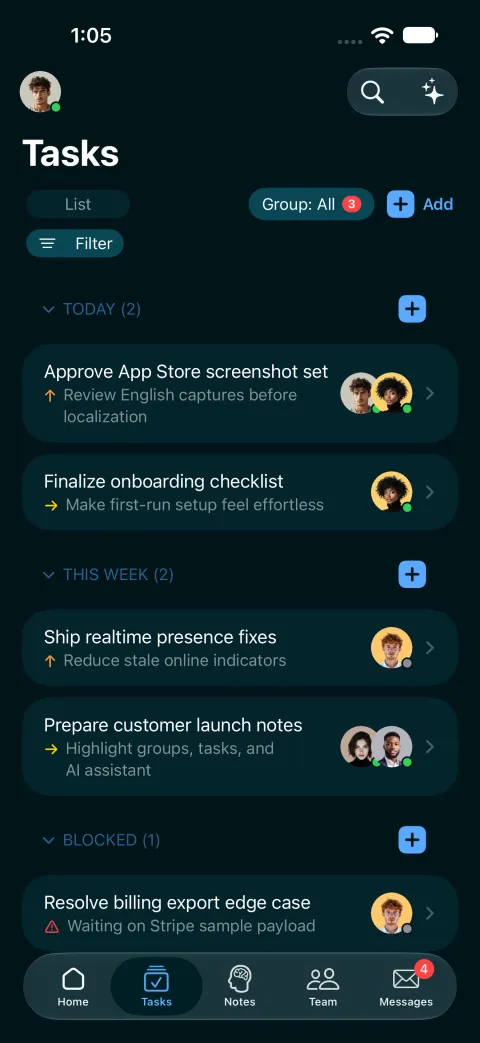
List, board and calendar views, a dashboard with stats, and priority, subtasks, blockers and labels. Link a task to a message, or just create one.
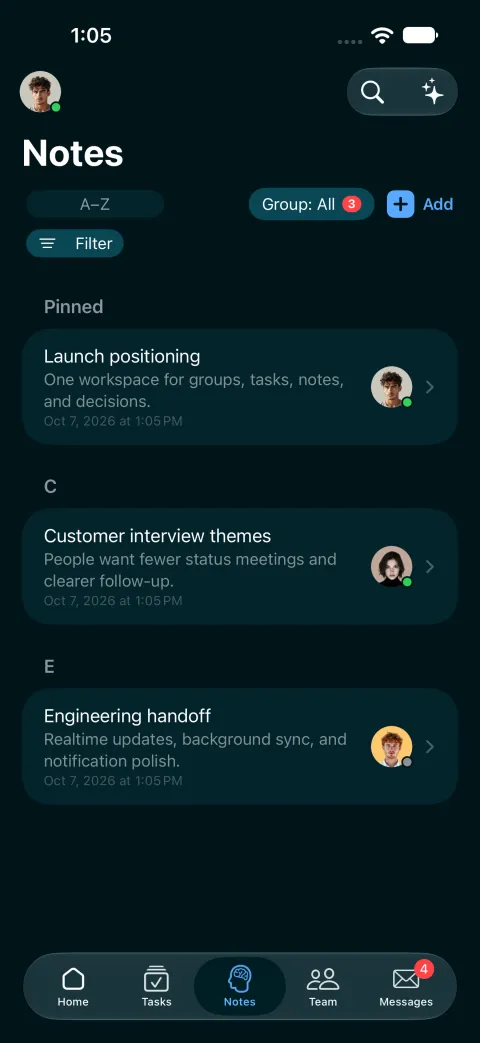
Co-edit notes in real time. The owner, due date and note come with the task.
Start a call from any DM, share your screen and record it. The summary posts when you finish.
It looks across notes, tasks and messages together.
Post announcements and all-hands events in one place, so people see what they need without a chat pile-up.

The same “Q2 pricing review,” from first idea to done. Nothing leaves FabricLoop. Nothing gets retyped.
9:14 AM · Notes
Typed in a note after a customer call. One highlighted sentence becomes a task, with owner, due date and the note attached.
2:30 PM · Messaging
The conversation happens in a channel. The outcome links back to the task, which splits into subtasks and names what it is waiting on.
4:45 PM · AI agents
FabricLoop's built-in AI, Loop Agent, reads the thread, drafts the update and notifies the teams that need to know. The task closes with full context attached.

Meet Loop Agent, the AI assistant built into FabricLoop. It lives in your channels and works across your messages, tasks and notes.
Knows your work
It answers from your messages, tasks and notes, so nobody has to dig through threads.
Gets things done
Right in the channel. No slash commands.
Learns as you work
It keeps track of your preferences and surfaces related context and tasks before you ask.
Deep search
It checks your workspace and the web for the answer.
The best model, picked for you
 Claude
 GeminiOpenAI
 GrokChosen for you
Your agents can run on models from all four. For agent tasks, FabricLoop picks the best one, so nobody on your team has to. Model usage is billed separately from seats.
Bring your own AI
ClaudeChatGPT Cursor
Use Claude, ChatGPT or Cursor with your workspace. Through MCP, an open standard for connecting AI tools, they can search your workspace, send messages, and read and write your notes, tasks and news.
Our tasks lived in Jira and our conversations in Slack, and decisions got lost between them. In FabricLoop, the AI knows what we agreed. I don’t dig through threads or ask “wait, what did we decide?” anymore.

I can be scatterbrained when I’m juggling projects and tabs. FabricLoop keeps my tasks, notes, and conversations in one place, so nothing slips and I never have to remember where I left off. Managing it all feels a lot less overwhelming.


Chat, tasks, notes and AI agents in one workspace. Free for unlimited users, no credit card needed. Try agents on the free plan, then upgrade to run them for real.